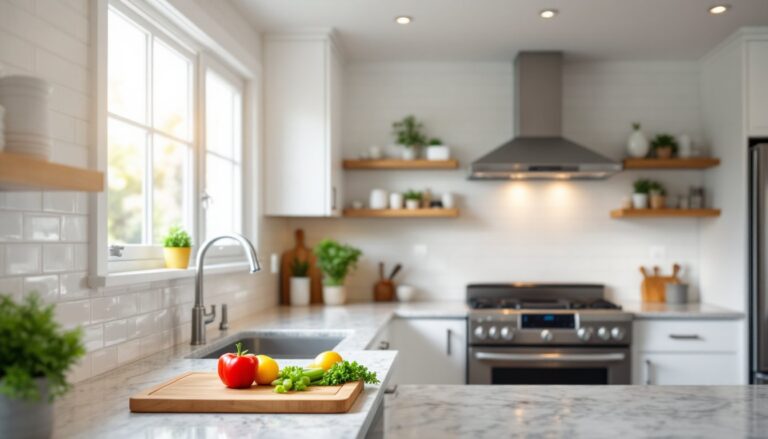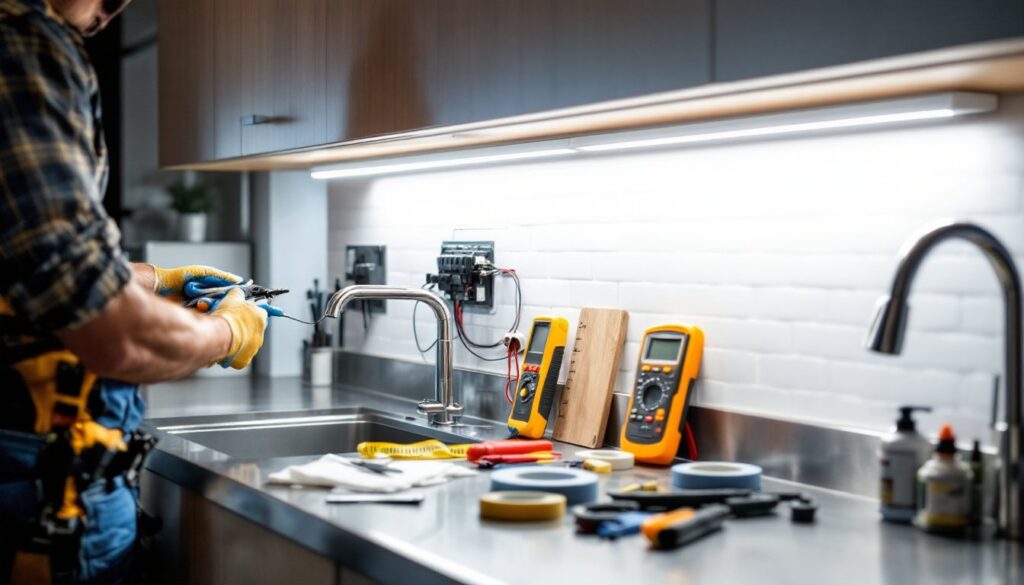
Hardwired under cabinet lighting transforms a dim kitchen into a functional, well-lit workspace while adding a professional polish that plug-in options can’t match. Unlike wireless systems, hardwired fixtures connect directly to your electrical circuit, eliminating clutter and delivering consistent, reliable illumination over your countertops. This approach is ideal for new kitchen remodels or serious upgrades, though it requires planning, the right tools, and comfort working with electricity. If you’re ready to skip the extension cords and battery replacements, here’s how to hardwire under cabinet lighting the right way.
Table of Contents
ToggleKey Takeaways
- Hardwired under cabinet lighting provides superior durability, lower operational costs ($10–$20 annually for LED strips), and a seamless aesthetic compared to wireless or plug-in alternatives.
- Before starting, confirm your kitchen has an available circuit breaker slot and adequate electrical capacity; if your panel is full, hire a licensed electrician rather than attempting a DIY workaround.
- Use a non-contact voltage tester before touching any wires, turn off the breaker, and always double-check that circuits are de-energized—this safety step prevents electrocution.
- When running NM romex cable, secure it every 4.5 feet with cable staples (never nails), keep it 1.25 inches away from cabinet edges, and conceal it behind trim or conduit to protect from damage.
- Strip 6 inches of outer cable sheathing and 3/4 inch of individual wire insulation, then connect black (hot), white (neutral), and bare copper (ground) wires to fixture terminals, ensuring all connections are fully seated and tight.
- Test all lights before closing cabinets—if a fixture doesn’t illuminate, check connections immediately; if you detect burning smell or arcing, turn off the breaker and call a professional.
Why Choose Hardwired Under Cabinet Lighting
Hardwired under cabinet lighting beats wireless alternatives in durability, cost-per-hour-of-use, and visual cleanliness. Once installed, you’ll never fumble with remote controls, swap batteries, or worry about losing a Bluetooth connection mid-dinner. The fixtures plug directly into your home’s electrical circuit, so they’re always on when you flip the switch, no syncing delays or dead batteries.
From a financial perspective, hardwired LED fixtures deliver the lowest operational cost over time. A typical LED strip kit running 24 hours daily costs roughly $10–$20 per year in electricity. Compare that to buying and replacing batteries in wireless systems every 6-12 months, and the math becomes obvious. Plus, hardwired installations lock in your décor: once the wiring is tucked behind the cabinet and the fixtures are mounted, you’re looking at a seamless, permanent solution.
Structurally, hardwired lighting also allows you to upgrade or service individual fixtures without disturbing the others. If one LED strip fails in five years, you swap just that unit instead of replacing the entire wireless ecosystem. Professional kitchens rely on hardwired layouts for precisely this reason, reliability and independent control. Most homeowners find that the initial effort pays back within a couple of years through reduced power consumption and zero maintenance headaches.
Tools and Materials You’ll Need
Before you start, gather everything. Running wiring behind cabinets means working in tight spaces, and forgetting one tool will stall your entire project.
Materials:
• LED under cabinet light strips or puck lights (choose color temperature: 2700K warm white, 4000K cool white, or 5000K daylight: 3000K is a safe middle ground)
• 14-2 or 12-2 NM romex cable (14 gauge for light-duty runs, 12 gauge for longer distances or heavier loads: check your breaker amperage, 15 amp typically uses 14 gauge, 20 amp uses 12 gauge)
• Wire connectors, electrical tape, and conduit (if running exposed: PVC or metal conduit protects wiring from damage)
• A new dedicated circuit breaker (15 or 20 amp: your panel may already have a spare slot)
• A wall switch or dimmer switch (depending on control preference)
• Mounting brackets and hardware (usually included with fixtures)
• Foam tape or adhesive strips for securing wire runs
Tools:
• Wire stripper and utility knife
• Voltage tester (non-negotiable for safety: tests whether a circuit is live before you touch it)
• Screwdrivers (Phillips and flathead)
• Power drill with bits
• Fish tape or wire puller (for running wire through tight or existing walls)
• Flashlight or headlamp (cabinets are dark)
• Wire cutter and pliers
• Hammer (for securing conduit)
Safety Gear:
• Safety goggles
• Work gloves
• Non-contact voltage tester or multimeter
Don’t cheap out on the voltage tester, it’s your insurance policy against electric shock.
Understanding Your Electrical Setup
Locating Your Kitchen Circuit Breaker
Your kitchen’s electrical circuit is the backbone of this project. Before touching any wires, you need to know where power comes from and whether your home has the capacity for a dedicated lighting circuit. This step is non-negotiable, skipping it is how DIYers hurt themselves.
Walk to your main electrical panel (usually in a basement, garage, or utility closet). Open the door and scan the breakers. Most homes have a double-pole main breaker at the top and dozens of smaller single-pole breakers below it. Your kitchen likely already has one or more circuits, 20-amp circuits are standard for kitchen counter lighting and countertop outlets. You’re looking for an open breaker slot where you can install a new 15- or 20-amp breaker dedicated to under cabinet lighting.
Before assuming an existing kitchen circuit has spare capacity, add up its load. If your kitchen outlets already power a microwave, coffee maker, and dishwasher, that circuit is likely maxed out (20 amps × 120 volts = 2,400 watts). Adding under cabinet lights to an overloaded circuit will trip the breaker repeatedly or create a fire hazard. If you don’t see an open slot in your panel, you’ll need a licensed electrician to add one, this isn’t a DIY workaround.
Note that electrical codes vary by jurisdiction. Some areas require a licensed electrician for any hardwired installation: others allow homeowners to do the work if they obtain a permit and pass inspection. Check your local building department’s rules before proceeding. Many building codes stipulate that kitchen circuits must be 15 or 20 amp, have GFCI (ground fault circuit interrupter) protection, and be grounded properly. Kitchen lighting itself doesn’t always require GFCI, but countertop outlets do, your breaker or outlet will handle this requirement.
Once you’ve confirmed you have a safe, available circuit (or confirmed you need to call a professional), photograph the breaker panel with the door open. Label which breaker feeds your new circuit once you install it. This documentation helps future homeowners, or electricians, understand your system.
Step-by-Step Installation Process
Running Wiring and Securing Fixtures
Step 1: Plan Your Wire Route
Map out where wire will run before you start. Under cabinet lighting typically calls for wire to exit a cabinet and travel either up the side of the cabinet (hidden behind trim) or across the soffit area above the cabinet to a wall switch or the breaker panel. This is where that fish tape comes in handy. Hold the wire in place with foam tape or adhesive strips, never staple wiring: it crushes the insulation and creates a shock hazard.
Step 2: Turn Off the Breaker and Test
Locate the new breaker you’ll install and flip the main breaker to the OFF position. Use your non-contact voltage tester on the panel to confirm it’s de-energized. If you’re running wire into an existing circuit, turn that breaker off instead. Double-check with the voltage tester. This step prevents electrocution, don’t skip it or speed through it.
Step 3: Install the New Breaker (or Connect to Existing Circuit)
If you have an open slot, a new 15-amp or 20-amp single-pole breaker snaps into place. Align it with the rails inside the panel and push until you hear a click. If the breaker slot is full, you’ll need a licensed electrician to install a tandem breaker or upgrade your panel. For existing circuits, you’ll be tapping into that circuit’s wiring instead, this is more complex and often requires professional help if you’re unfamiliar with working inside walls.
Step 4: Run the NM Romex Cable
Feed 14-2 or 12-2 NM romex cable from the breaker panel to your first under cabinet fixture location. If running through walls, use a fish tape to guide the cable. If running across open soffit, use PVC or metal conduit for protection. Keep the cable at least 1.25 inches away from cabinet edges to prevent accidental puncture. Secure it every 4.5 feet with cable staples, not nails, which split the sheathing.
The cable carries a black (hot) wire, a white (neutral) wire, and a bare copper (ground) wire. Never skip the ground: it’s your safety net if something shorts.
Step 5: Strip and Connect the Cable to the Light Fixtures
At your first fixture location, strip about 6 inches of the outer cable sheathing using a utility knife. Carefully separate the three inner wires. Strip about 3/4 inch of insulation from each wire’s tip. Most under cabinet LED strips have a small junction box or terminal block where you connect the wires. Insert the wires into their terminals (black to live, white to neutral, bare copper to ground) and tighten the set screws. Double-check that wires are fully seated, a loose connection will arc and burn.
For puck lights or other modular fixtures, follow the manufacturer’s diagram. Some connect in series (daisy-chain), while others run separate feeds to each unit. If running daisy-chain, the cable exits the first fixture, travels to the second, and so on.
Step 6: Install the Wall Switch
Your switch box (usually a standard 3-gang box mounted beside the kitchen entry or at a convenient height) connects to the hot (black) wire from the breaker. The black wire enters the switch, and the switch hot (the wire exiting the switch) travels back to the first fixture’s junction box. The white and ground wires bypass the switch and go directly from the breaker to the fixture. If you’re installing a dimmer switch, verify it’s rated for LED, older dimmers won’t work with LEDs.
Use wire connectors (wire nuts) to bundle wires: twist the bare copper ground wires together, screw on a green wire nut, and crimp it tight. Repeat for white wires (silver nut) and black wires (black nut). Tuck all connectors inside the junction boxes: never leave a live connection exposed.
Step 7: Secure and Hide the Wiring
Once all fixtures are connected and tested (see below), use foam tape, adhesive clips, or small conduit to secure the cable. Hide it behind trim, inside soffit channels, or inside the cabinet toe-kick. The goal is to keep it invisible and protected. If any cable runs across the soffit, use conduit for safety, drywall nails, ladders, or cleaning can damage exposed wire.
Step 8: Test Before Closing
Before you screw the cabinet doors back on or hide everything, flip the new breaker to ON and test each light. They should illuminate smoothly. If a light doesn’t turn on, switch off the breaker immediately and check your connections, a cold solder or a loose wire nut is usually the culprit. If you notice any burning smell, heat, or arcing (visible sparks), turn the breaker off and call an electrician.
Once everything works, you can also test using a multimeter to verify voltage at the fixture (should read ~120V). Take photos of your wiring before you hide it: future troubleshooting will be much easier.
Conclusion
Hardwiring under cabinet lighting is a rewarding weekend project that pays back in functionality and clean aesthetics. The key is respecting electricity, use a voltage tester, follow local codes, and don’t hesitate to hire a licensed electrician if your panel is full or your local rules require it. With proper planning, the right materials, and careful attention to connections, you’ll have professional-quality task lighting that outlasts any wireless system. Your kitchen will feel brighter, more efficient, and genuinely finished.